Client advisory
Strategy sessions, legal advice, and deal talks your clients agreed to have with you, not with a vendor's servers
Learn more about Goodmeet for coaches and consultantsGive your client your full attention. Goodmeet takes the notes, and nobody else can read them, not even us.
Free on any Mac with Apple silicon (M-series and A-series chips)
Free on Windows 11 with 16GB RAM
Goodmeet runs on Mac and Windows. Email yourself the link and install it on your computer.
Company sale prep


Call detected
Zoom
Goodmeet confidentially turns your rough notes and the transcript into perfectly organized meeting notes that are easy to share & easy to act on.
Good summaries need a large AI model, and large models live in the cloud. Private Cloud AI runs ours sealed off from everyone, so it can write your notes without anyone seeing your meeting, not even us.
On your device
Goodmeet transcribes on your computer or phone. Your audio is never uploaded.
In Private Cloud AI
Before sending anything, the app checks it’s talking to genuine sealed hardware on Google Cloud in the EU. Your transcript goes in encrypted, the summary comes back encrypted, and nothing stays behind.
Across your devices
Notes sync and share end-to-end encrypted. Only your devices and the people you share with hold the keys.
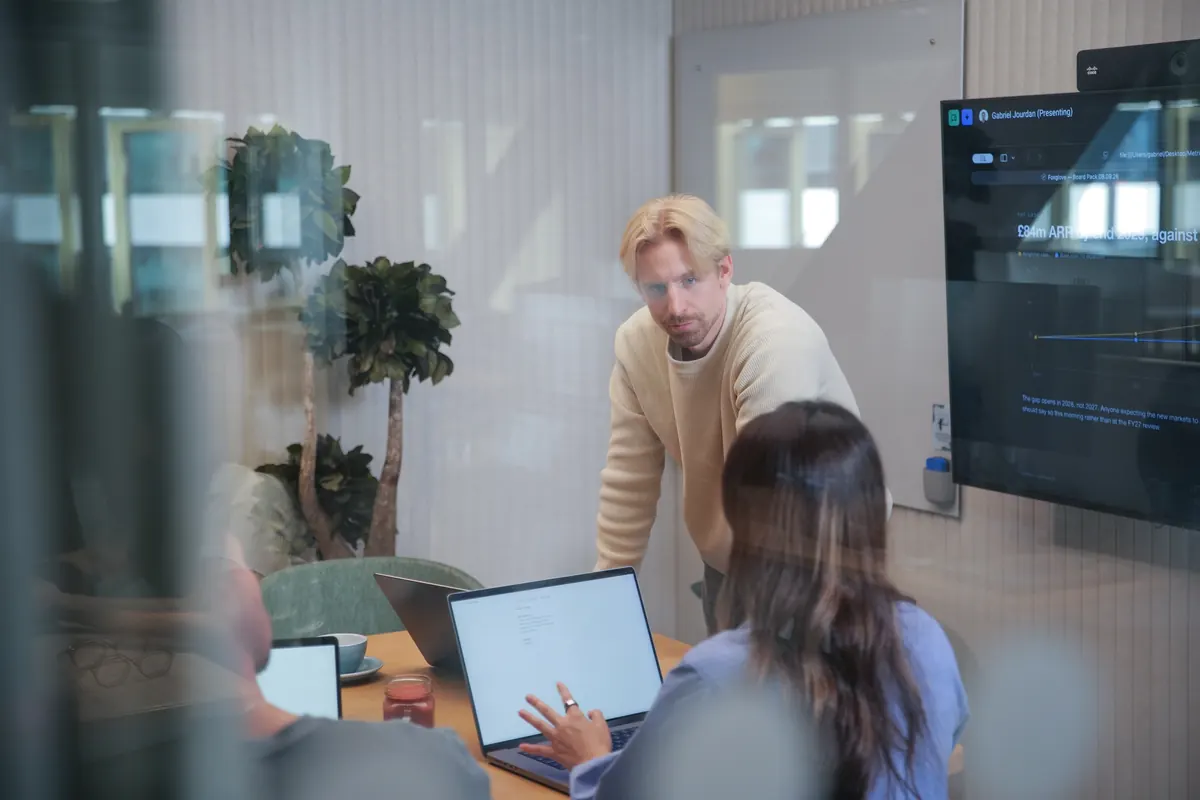
Strategy sessions, legal advice, and deal talks your clients agreed to have with you, not with a vendor's servers
Learn more about Goodmeet for coaches and consultantsSalary talks, mortgage calls, and anything with a number you would rather not see leaked
Learn more about Goodmeet for financial advisorsResults, diagnoses, and sessions that stay between you and the person on the call
Learn more about Goodmeet for therapists and practitionersReviews, hiring rounds, and one-on-ones where candor depends on privacy
Learn more about Goodmeet for HR and people teams
Call detected
Zoom
Goodmeet notices when a call starts and reminds you to hit record
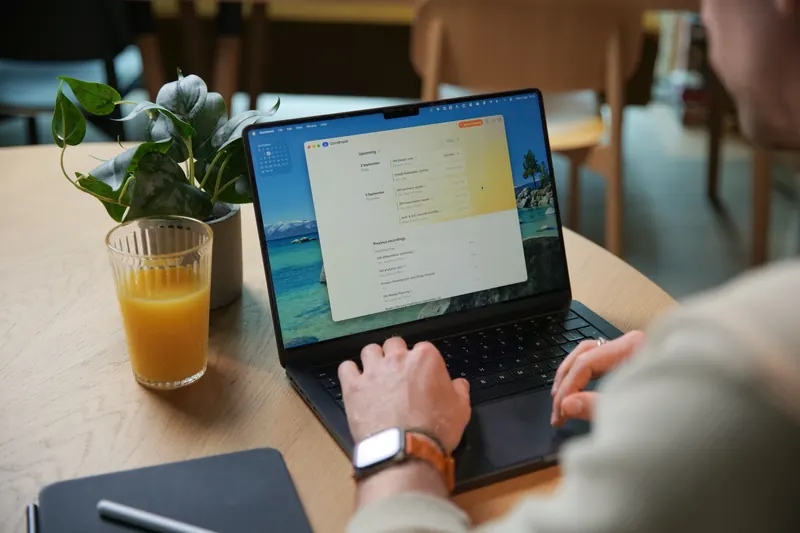
Connect your calendar and see upcoming meetings ready to record
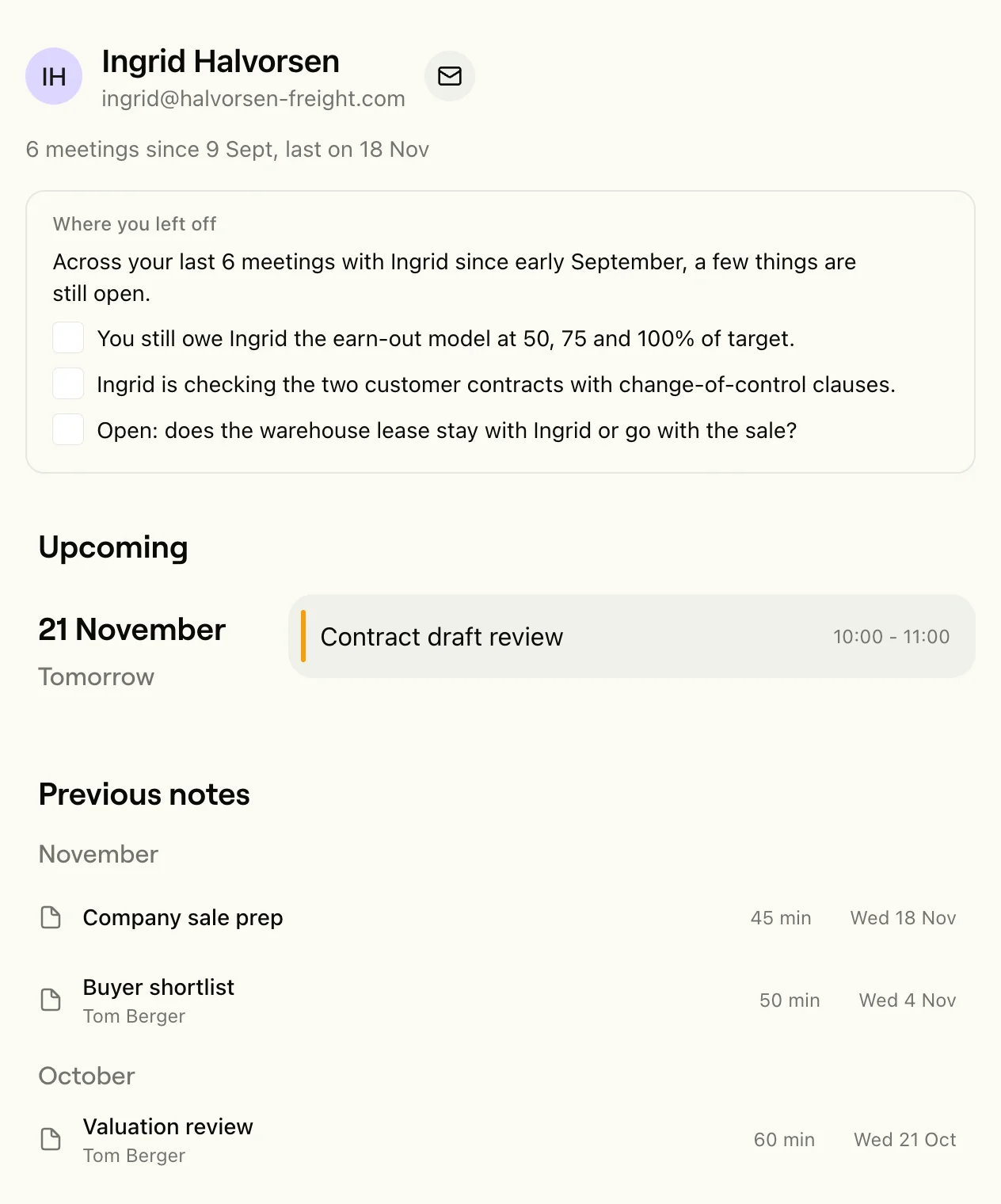
Open a client’s page to see your past meetings and what’s still open before the next call.
Zoom Google Meet
 Microsoft Teams
 Slack huddles
 WhatsApp
Goodmeet takes notes in any meeting app on your computer, whichever one your client prefers.
Summaries with next steps land in a clean editor you can refine and export
An NDA limits who else gets to see what your client tells you. Goodmeet writes up the decisions and action items so that only you can read them, not even us.
Every NDA is different, so check what yours allows, and ask your client before you record. Most NDAs limit who you can share confidential information with. Goodmeet is designed so nothing your client says reaches anyone else in a form they can read: the audio never leaves your device, the transcript is summarized in Private Cloud AI, sealed off from everyone, and your notes are end-to-end encrypted. This isn’t legal advice.
For client meetings in person, at their office or yours. Put your phone down, press record and lock the screen. Goodmeet transcribes on your phone, and the notes wait on your computer, end-to-end encrypted.
On Android? Get Goodmeet for Android (Beta) on Google Play.
Free on any iPhone with iOS 26 or later
Goodmeet for Android is in beta

We never hold your keys. If we were ever forced to share your data, all anyone would get is encrypted content only your devices can unlock.
It’s transcribed on your device, and the transcript is the only record.
Your meetings aren’t used to train AI models, ours or anyone else’s.
No bot in the participant list. Goodmeet listens through your computer’s own audio.

Goodmeet is built so client conversations stay between you and your client. It transcribes on your device and doesn't store your meeting audio. Summaries are generated in Private Cloud AI on Google Cloud in the EU, designed so nobody can read them, including Good Systems and Google. Anything you sync or share is end-to-end encrypted. NDAs differ, so check what yours allows, and ask your client before you record.
Goodmeet doesn't join the call, so nothing tells your client you're taking notes unless you do. Describe it as a silent scribe: it types while you talk, hands you the notes and forgets the conversation. Before you start, you could say: “I take notes with an app that transcribes on my laptop. Nobody else can read them, not even the company that makes it. Is that okay with you?”
At every stage. Recording and transcription happen entirely on your device. Summarization runs in Private Cloud AI, which keeps your data sealed off even while it is being processed. And when you sync or share your notes, end-to-end encryption keeps them readable only by you and the people you authorize. Read the technical details.
Transcription happens on your device, and we don't store your meeting audio. Summaries are generated in Private Cloud AI on Google Cloud in the EU and aren't kept there afterwards. Anything you sync or share is stored on servers in Belgium and the Netherlands, end-to-end encrypted so only your devices hold the keys.
No. Goodmeet is designed so we can't train AI on your meeting data, even if we wanted to.
Private Cloud AI is how Goodmeet uses a large AI model in the cloud without anyone seeing your meeting. It runs on confidential computing on Google Cloud in the EU: your transcript is unlocked only inside sealed hardware your app has verified, and the summary leaves it encrypted. Learn more about confidential computing.
End-to-end encryption is a secure communication method that makes sure shared and synced content can only be read by you and the people you authorize. Even Goodmeet can't read it. Learn more about end-to-end encryption.
On Mac and Windows, Goodmeet captures your computer's audio and microphone, so it works with Zoom, Google Meet, Microsoft Teams, and any other call. On iPhone, it records the conversation in the room. On Android (Beta), it does the same.
Goodmeet transcribes meetings in these languages and summarizes them in the same language: English, German, French, Portuguese, Spanish, Dutch, Swedish, Russian, Finnish, Vietnamese, Japanese, Turkish, Chinese, Romanian, and Korean.
Goodmeet runs on any Mac with Apple silicon, on Windows 11 with 16GB RAM, and on iPhone with iOS 26 or later. It's also on Android phones, in beta.
It takes notes when you meet in person. Goodmeet records through your iPhone's microphone, keeps going with the screen locked, and transcribes on your phone. Your notes sync to your computer, end-to-end encrypted. For calls, use Goodmeet on your Mac or PC.
We're working on bringing Goodmeet to more devices. Let us know what device you're using and we'll tell you when we support it. Reach us via the Help center.
Goodmeet is free for individual use. See pricing for individuals and teams.
Free on any Mac with Apple silicon (M-series and A-series chips)
Free on Windows 11 with 16GB RAM
We'll send you a link to install Goodmeet on your computer
We'll send you a link to install Goodmeet on your computer
We'll send you a link to install Goodmeet on your computer
Send it to yourself
Enter your email and we'll send you a link to install Goodmeet on your computer
MacWindows