Which should you choose?
This compares Superwhisper Meetings with Goodmeet, the AI meeting notetaker from Good Systems, created by the team behind Goodnotes. Every Superwhisper fact links to Superwhisper's own pages.
- Choose Goodmeet if you want your audio transcribed on your device, summaries that don't depend on your Mac's memory or speed, and your notes on Mac, Windows, iPhone and Android, free for individual use.
- Choose Superwhisper if you already use it for dictation, want summaries without an internet connection and are fine with shorter ones, or want to play back a meeting's audio.
Superwhisper and Goodmeet side by side
| Goodmeet | Superwhisper | |
|---|---|---|
| Bot in the call | No | No |
| Transcription | On your device | Superwhisper's cloud by default, or a local model you choose |
| Summaries | In Private Cloud AI, designed so nobody can read them | Superwhisper's cloud by default, or a small model on your Mac |
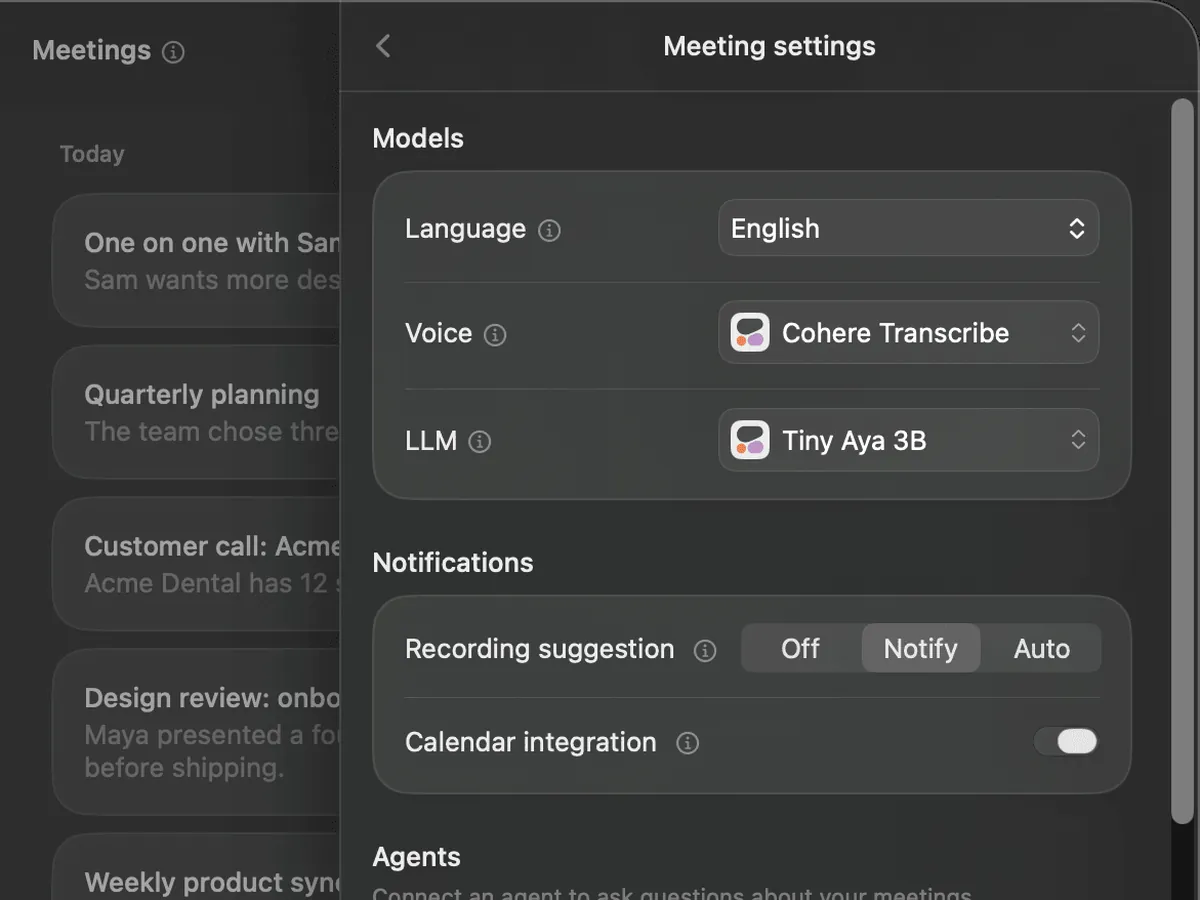
| AI models on your computer | Speech recognition, no summary model | Fully local: speech (1.3 GB), summary (up to 2.1 GB) and speaker (about 150 MB) models |
| Works on | Mac with Apple silicon, Windows 11 with 16GB RAM, iPhone, and Android in beta | Mac only |
| Audio kept | No | Saved on your Mac to play back |
| Shared notes | End-to-end encrypted | The summary on a Superwhisper web page, for anyone with the link, for 30 days |
| AI training by default | Not used | Not used, Superwhisper states |
| Free plan | $0 for individual use | Meetings is part of Pro: $8.49 a month, $84.99 a year or $249.99 once |
Where Goodmeet is different
- The same notes on any Mac. Fully local, Superwhisper runs three models on your Mac: Cohere Transcribe (1.3 GB) for speech, Tiny Aya 3B (2.1 GB) for the summary and a speaker model of about 150 MB. Its performance tips say "local models need free memory" and "your hardware sets the processing speed", and for smaller Macs its docs suggest Qwen 3.5 2B for "faster summaries". Goodmeet transcribes on your computer, but the language model that writes your notes runs in Private Cloud AI, on NVIDIA GPUs in Google Cloud. A MacBook Air gets the same summaries as a Mac Studio, and how fast they arrive doesn't depend on your Mac.
- No trade between short summaries and the cloud. Superwhisper's docs say "Local summaries are shorter than cloud summaries" and "Small local models follow long instructions less closely", and advise keeping custom templates short. Its fuller summaries come from its cloud models, which are the defaults for meetings: S1-Voice and S1-Language, "hosted by Superwhisper". You can mix the two, transcribing on your Mac and summarizing in Superwhisper's cloud, where its privacy policy says audio and transcripts "are processed in memory and are not stored after the request completes". Goodmeet doesn't make you choose. Every summary, on every plan, is generated in Private Cloud AI: your app checks the sealed hardware before it sends your transcript, encrypted, and the summary comes back encrypted. It's designed so nobody can read your meeting, not Good Systems and not Google.
- No recording to look after. Superwhisper keeps each meeting's audio on your Mac so you can play it back. Goodmeet deletes the audio once it's transcribed. When you share a meeting, Superwhisper puts the summary on a web page that anyone with the link can open for 30 days. Goodmeet's sharing is end-to-end encrypted, readable only by the people you authorize.
- Your notes on every device. Superwhisper Meetings is Mac only, and saved meetings live on that Mac. Goodmeet is on Mac, Windows and iPhone, and on Android in beta, and its iPhone app keeps recording in person with the screen locked. Sync is end-to-end encrypted and Good Systems never holds the keys. With sync off, your meetings stay on that computer.
Other comparisons
See all seven notetakers compared, or how Goodmeet compares with Meetily, another notetaker that can summarize on your computer, and with Granola, Otter, Fireflies and Jamie. To see why Goodmeet doesn't summarize on your computer, read how we built Private Cloud AI. To check any notetaker yourself, use the AI notetaker privacy checklist.
Sources
Superwhisper facts are quoted from Superwhisper's own pages, all checked 23 November 2026:
- Superwhisper Meetings
- Meetings overview, Private and offline meetings, Record a meeting, Summaries and Share a meeting
- Voice models and language models
- Performance tips
- Plans
- Privacy policy
Goodmeet facts come from Goodmeet's privacy policy, pricing, FAQ, help center and how we built Private Cloud AI.